
Shared inbox
Sponsors, judges, event hosts and parents all email the team, and the address they email is almost always one student’s personal account. When that student graduates, four years of correspondence graduates with them. A shared inbox puts the team’s mail somewhere the team can actually reach it.
Free for every team · run by a 501(c)(3)
In use on Robolyst
Emails handled
71
+30 in the last 30 days
Shared inboxes
25
+6 in the last 30 days
A sponsor thread the whole team can see, with the reply that went back out under the team’s name.
- H5Hexbots 5291 2hRe: sharing our intake CADFiles are attached, happy to walk you through the geometry.
- LPLinda P. TueSponsorship for the 2026 seasonWe can renew at the gold level again this year.JDJohn D.
- CVCedar Valley League MonLoad-in times for League Meet 3Pits open at 6:30am. One cart per team, please.
- RMRidgeview Middle School Jan 8Demo for our STEM nightThank you, the kids are still talking about the robot. Closed
We can renew at the gold level again this year. Send the sponsor packet over and I’ll get it signed before the end of the month. Our logo is attached for the pit banner.
That’s wonderful news, thank you. The packet is attached, and the banner artwork goes to print on the 20th, your logo will be on it.
On screen
The page itself, captured out of the live demo, which anyone can open, without an account.
Open it yourself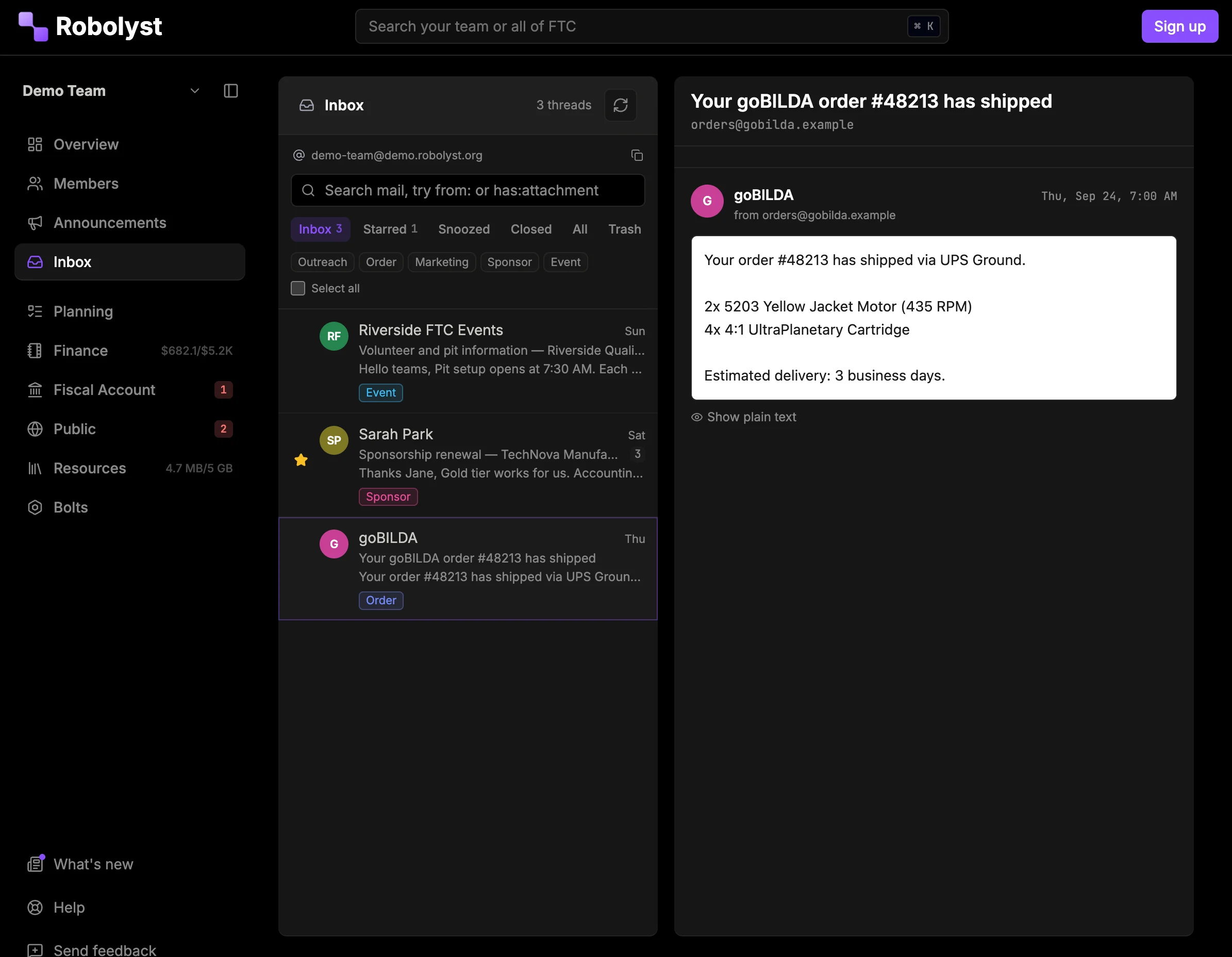
An address that belongs to the team
Claim a handle and the team is reachable at it immediately: nothing to host, no DNS records to get wrong, no mail provider to pay. Replies go out under your team’s name, not a personal one.
- One address per team, at robolyst.org, claimed from inside Team HQ
- Available once your team has verified the number it competes under
- Sending and receiving are handled: no mail server, no forwarding rules
- Start a new conversation as well as reply to one
Everyone can see it; one person owns it
Every conversation is visible to the people you give inbox access to, so nothing sits unanswered because one student was on holiday. Assign a thread to whoever is handling it, close it when it is done, and it reopens by itself if the sender writes back.
Replies with formatting and attachments
The reply box is a real editor (headings, lists, links, bold) and files ride along with it. A sponsor asking for your logo gets the logo, not a link to a drive folder they cannot open.
- Attachments in both directions, up to 10 files and 20 MB a message
- Incoming attachments download through Team HQ, behind your login
- Full thread history, quoted and in order
- Search across subjects, senders and message text
Remote images and trackers blocked until you load them
Mail from strangers is the one thing in Team HQ you did not write. Messages render with remote images and tracking pixels blocked until you choose to load them, and the sender’s markup is stripped of anything that could act on the page. A sponsor’s formatting survives; a marketing tracker does not.
Every send waits in an outbox first
Everything you send goes through an outbox first. That buys back the twelve seconds where you realise the attachment is missing, and it is the same mechanism that lets a reply be written now and sent on Monday morning.
- Unsend inside the window, or schedule a send for later
- Teams that want it can require a second person to release a reply before it goes out
- A daily send limit, so a shared address cannot be turned into a mailing list
Filing rules for vendors and sponsors
Write filing rules for the senders you know: this vendor is orders, this address is sponsors. For the ones nobody has written a rule for yet, smart tagging reads the message and files it against your own tags. It is one switch in team settings, and it only ever adds a tag, which comes off in a click.
The archive stays when the student graduates
The archive stays with the team, not with the account that received it. Next year’s outreach lead can look up what a sponsor agreed to in October two seasons ago, and access is a role permission you can grant and revoke like any other.
Questions teams ask
- Do we need our own domain?
- No. You pick a handle and the address lives at robolyst.org, the same place the rest of your team’s portal does. A custom domain is a team-website feature; team mail runs on ours.
- Who on the team can read it?
- Whoever you give the permission to. Reading and sending are separate role permissions, so a student can be allowed to see what arrived without being able to answer on the team’s behalf. Managers get both by default.
- Does this replace our team Gmail?
- It replaces the arrangement where the password is in a shared doc and only one person ever checks it. Everyone signs in as themselves, and what they do (replying, assigning, closing) is attributed.
- Can we email people first, or only reply?
- Either. A message goes to up to 50 recipients, and a mailbox sends to at most 250 a day, so a shared address cannot be used to blast a list.
- Can it forward everything to our Gmail?
- No. A single message can be forwarded on, but there is no rule that copies all mail to an outside address, since that would put the team’s correspondence back in one person’s account.
Read next
The rest of the toolkit
Shared inbox is one part of Team HQ.
The roster, the build schedule, your documentation, the money and your public site run on the same free account. Setting it up takes an afternoon.