
Load-in is 6:30am Saturday
John D. 2h ago
Trailer is packed except the pit banner. Drivers meet at the school gate, bring your safety glasses.
Your roster, your team inbox, your build schedule, your documentation, your outreach numbers, your parts money, and your public site: sixteen workspaces on the same account you already use to scout the field, plus a Discord bot that runs them from the server your team is already in. Built by an FTC team, for FTC teams.
Free for every team · run by a 501(c)(3) nonprofit
Nothing here is a separate app. A meeting on the calendar carries the tasks due that day; a finished task asks for a documentation entry; that entry cites the part you ordered.
Build meeting logged. Attendance taken on the way in.
Intake redesign moves to In Progress. Two people are unblocked.
Iteration 3 written up, tagged Intake · Test, photos attached.
Parts request approved and ordered against the robot budget.
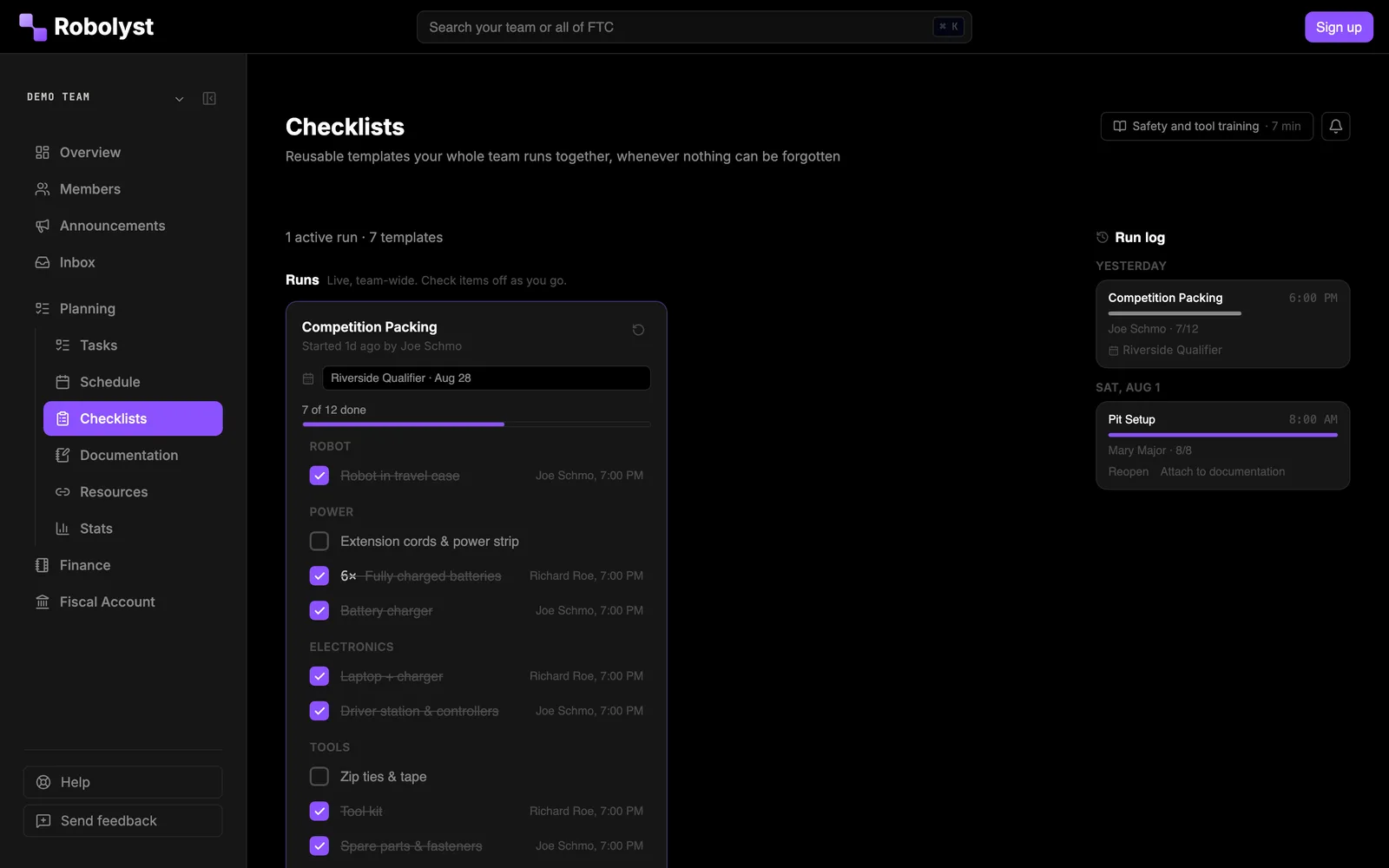
Pre-match checklist runs itself 15 minutes before every match.
One more website is one more thing nobody signs into. So the parts a whole roster touches reach them where they already are: the server they are in every night, the calendar on their phone, a sheet of paper in the pit. Everything they do out there is written back here.
A bot in your own server. Tasks open as threads and reply back, meetings ask who is coming with buttons, order requests get approved in the channel.
Nobody needs a Robolyst account to press a button.
One subscribe link per team. Apple Calendar, Google Calendar, Outlook.
Every new meeting, cancellation and time change follows on its own.
Checklists tick from a phone. Pit scouting is a QR code taped to the table: scan, fill it in, done.
No login, no app, works on a borrowed phone.
Sponsors and event coordinators write to the team address and get a reply from whoever is handling it.
They never learn there is a portal behind it.
Captains, subteam leads, the treasurer, your coach. Accounts are free and unlimited, so there is no reason to ration them. But a season works with four people signed in and the rest reached through Discord and a calendar feed.
Teams
210
+53 in the last 30 days
Members
775
+180 in the last 30 days
Meetings scheduled
1,030
+400 in the last 30 days
Tasks created
754
+320 in the last 30 days
Tasks completed
344
+208 in the last 30 days
Outreach people reached
17,825
+4,022 in the last 30 days
Outreach hours logged
625
+250 in the last 30 days
Docs written
1,144
+521 in the last 30 days
Announcements sent
54
+29 in the last 30 days
Where
71 states
and provinces · 20 countries
Robolyst is quickly becoming an all-in-one home for our team. It brings team management, documentation, and metrics together in one place, making it much easier to track what we accomplish, how engaged team members are, and the impact of our outreach. The mobile experience and Discord integration are especially valuable, allowing students to participate in whatever way works best for them, either in-app or right from the Discord server they're already using. Robolyst is incredibly easy to use and the development team is remarkably responsive to questions and suggestions. Highly Recommended

Blue Bananas
Robolyst has made managing our robotics team so much easier. It gives us one place to handle everything from meeting notes and task assignments to 3D prints, parts orders, finances, and budgets. The platform is easy to use, and adding tasks or keeping track of what needs to get done is simple and straightforward. Instead of juggling multiple apps and spreadsheets, we can keep everything organized in one place. It’s a great tool for keeping our team on track and making sure nothing falls through the cracks! 10/10 would recomend!

Tate, Captain, FTC #5026
Tesla Coils
Robolyst has genuinely been such a game changer for our team. There were so many organizational things that we had to use separate Google Docs and Sheets for, and having it all put in one place is really great. Especially the order request and budgeting has been amazing.

Theo, Operations Lead, FTC #27479
NO esc
Rosters churn every September. Team HQ assumes that: students join with a link, mentors and alumni are marked as such, subteams own their own work without a separate group chat, and the address sponsors email belongs to the team rather than to whoever set it up.
/team-management/members
John D.
Captain · Grade 12
Sally S.
Programming lead · Grade 12
Mike T.
Grade 11
Karen L.
Coach/MentorLead mentor
Tom B.
AlumniClass of 2024
/team-management/communication
Trailer is packed except the pit banner. Drivers meet at the school gate, bring your safety glasses.
Anything not merged by the end of Wednesday’s meeting waits until after the league meet.
Going out once the outreach subteam finishes the photo picks.
/team-management/inbox
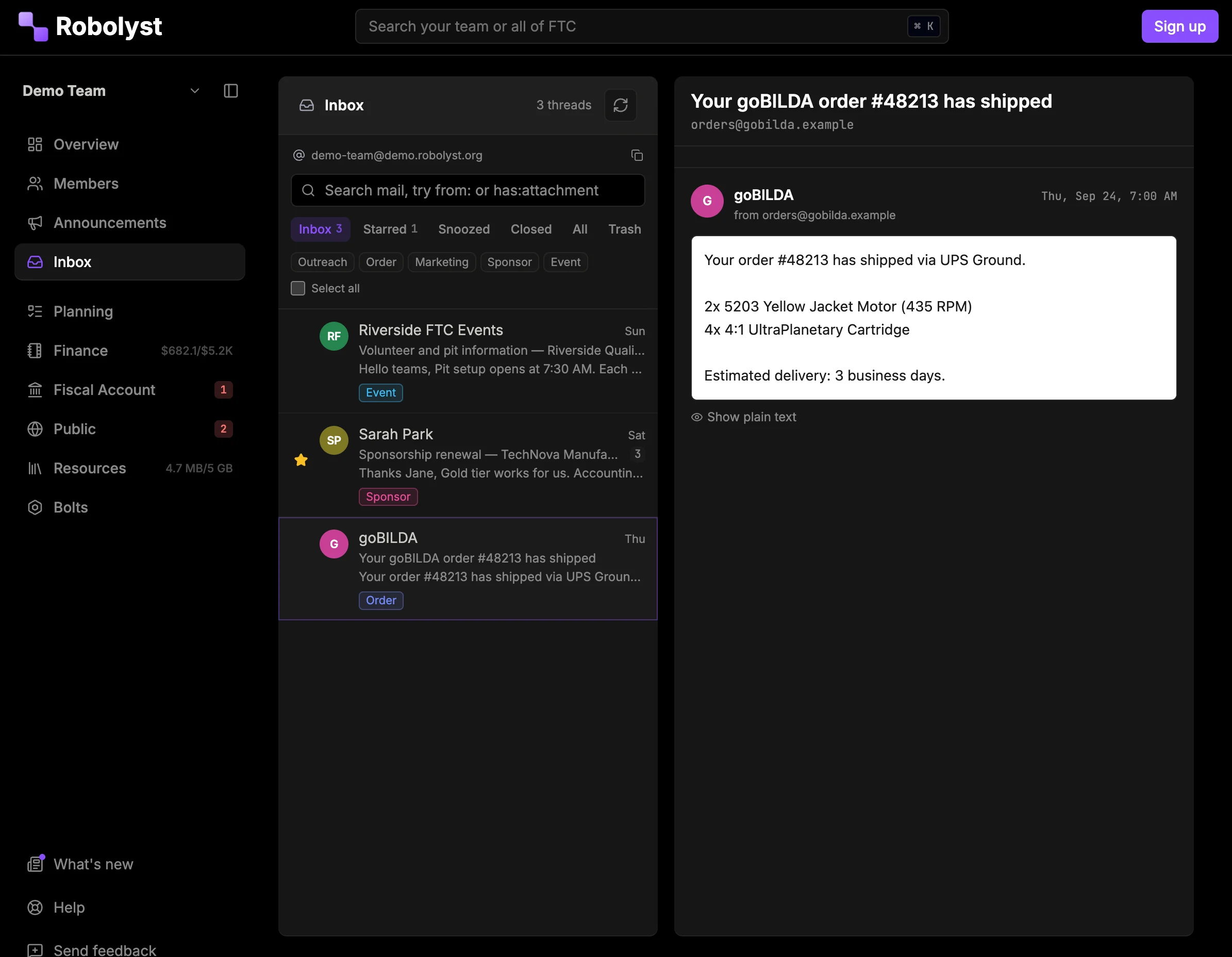
This is the half of Team HQ a team touches every meeting. Tasks, the calendar, pit checklists, and documentation are one system, so finishing something in one place updates the others.
/team-management/tasks
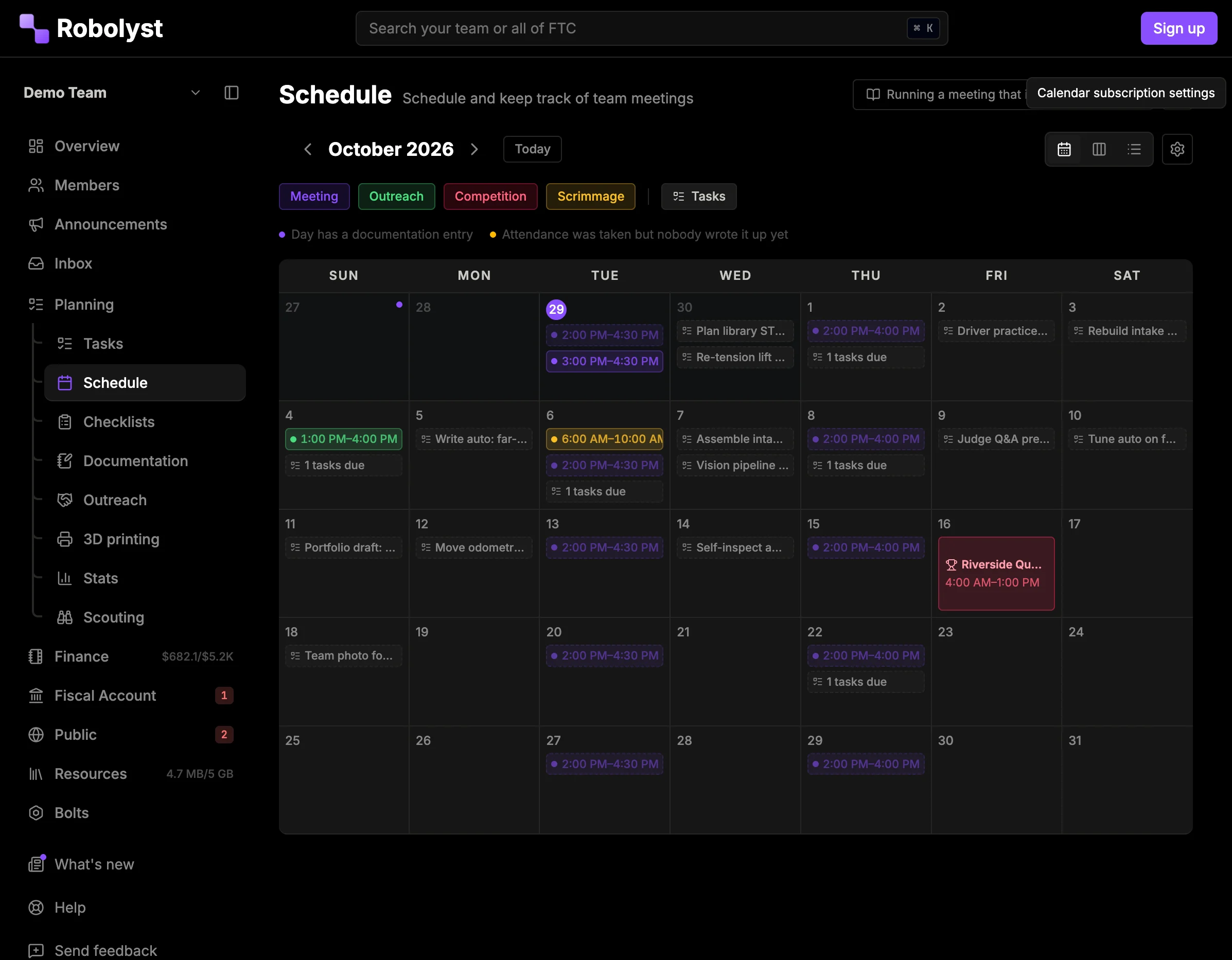
/team-management/schedule
Search the same live FTC event database this site runs on, and add your league meets, qualifiers, and championship with their real dates, venues, and start times. When the event schedule changes, so does yours.
Cedar Valley League Meet 3
Sat Jan 17 · Cedar Valley HS
Northgate Qualifier
Sat Feb 7 · Northgate HS
Every team gets a private feed. Subscribe once from Apple Calendar, Google Calendar, or Outlook and every new meeting, cancellation, and time change follows. No exports, no re-adding, no “did you see the message?”
webcal://robolyst.org/api/calendar/… Read-only, revocable, and separate from the reminders Team HQ sends you.
/team-management/checklists
/team-management/documentation
Documentation written the week the work happens, so judging week is for editing. Entries are typed by subsystem, entry type, and where they sit in the design process, so the board view shows how a subsystem actually progressed.
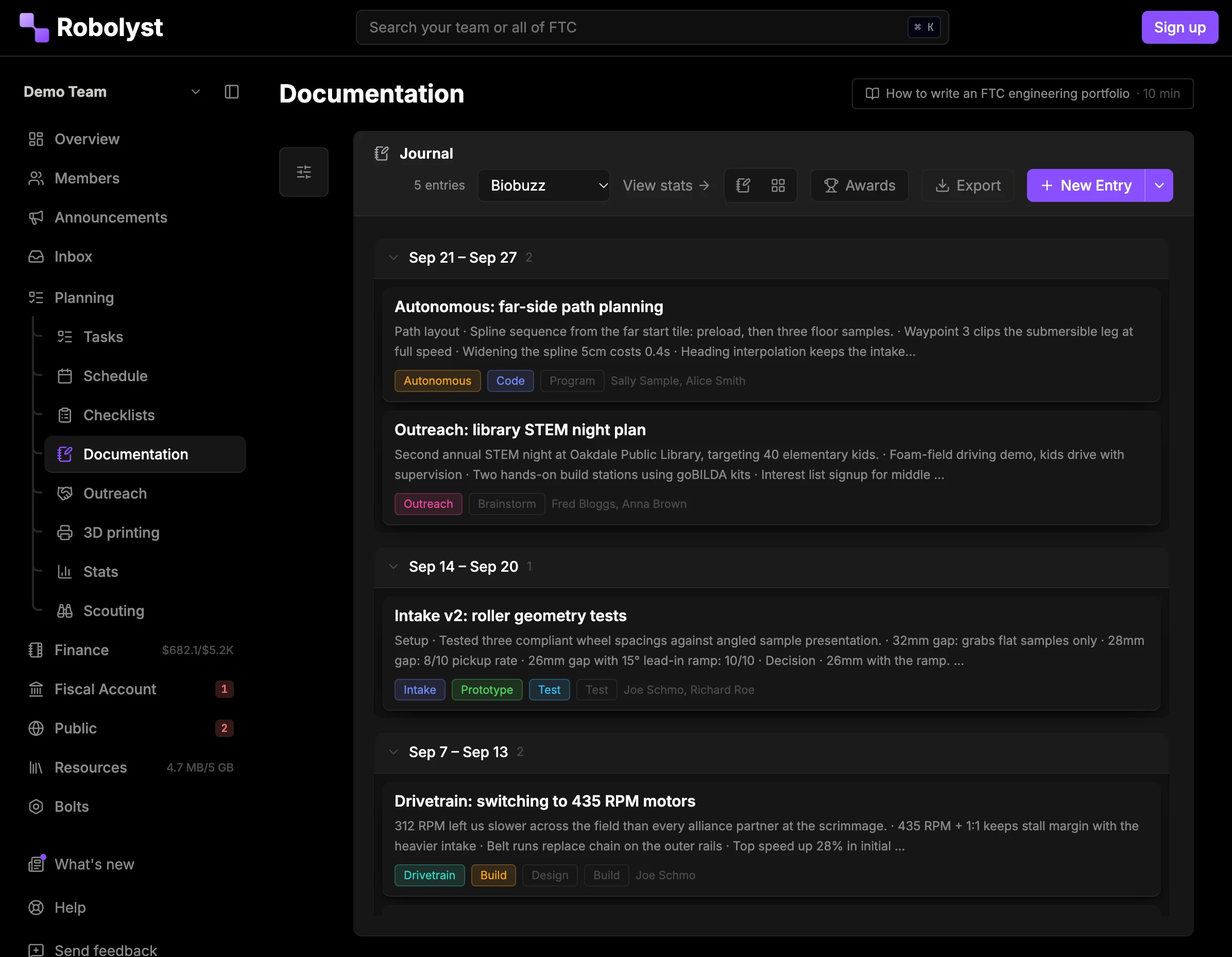
5 more found this week in tasks and documentation entries
/team-management/resources
Three libraries on one shelf: the links the team keeps losing, the files it keeps re-sending, and every photo it has taken this season.
/team-management/outreach
The judges will ask how many people you reached. Most teams answer it in February by scrolling back through a year of photos and guessing. Log it the week it happens and the number is already there.
Nov 14
Nov 9
Oct 26
Oct 18
/team-management/printing
Two printers, one of them in a mentor’s garage, and twelve people who need a part by Thursday. The queue says what is next, who asked for it, and which printer it is on.
Teams run on parts orders, receipts, and a budget somebody is keeping in a spreadsheet. Team HQ replaces the spreadsheet, and, if you want it, the bank account too.
/team-management/finance
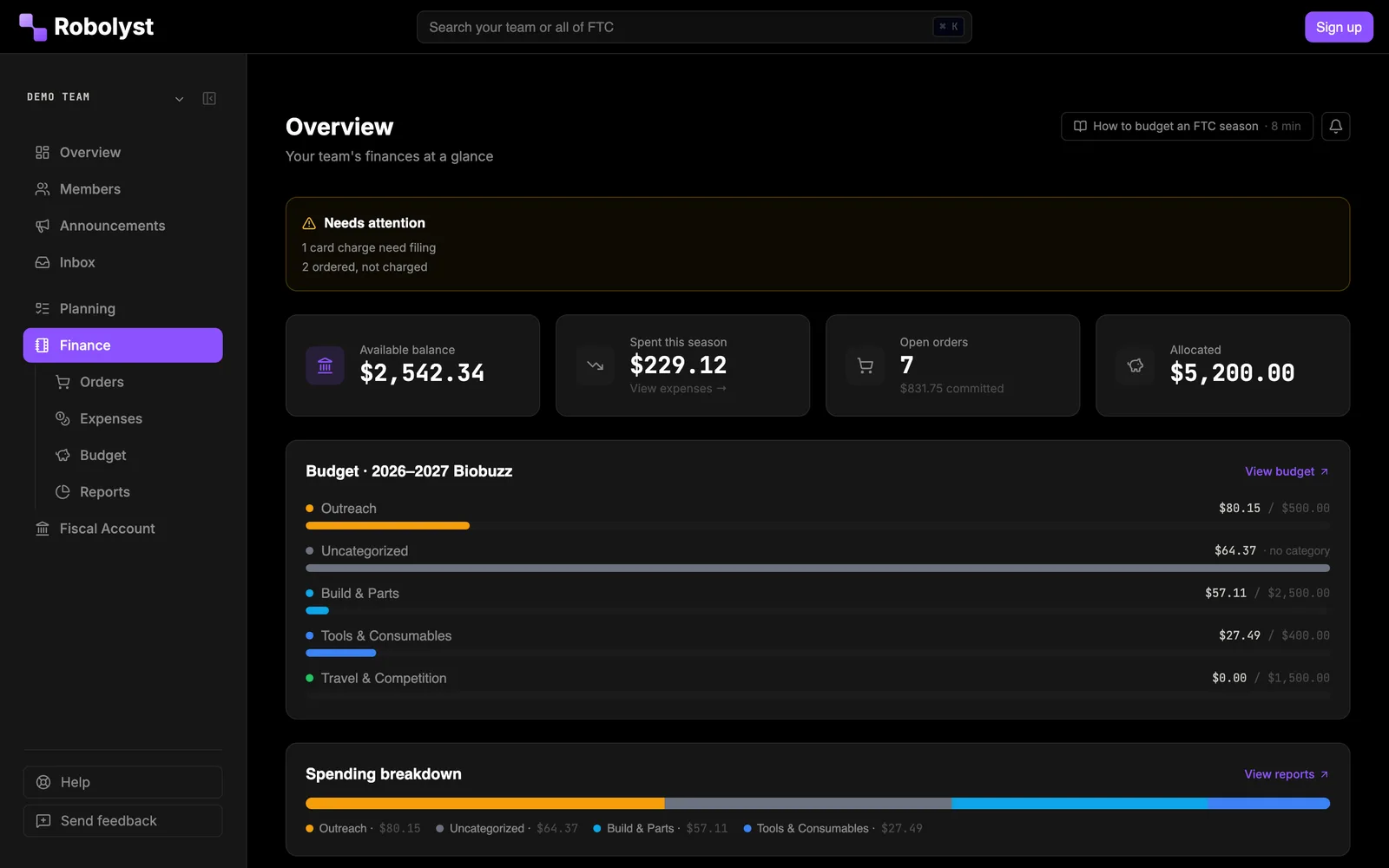
/team-management/finance/fiscal-sponsorship
Optional, and the part no spreadsheet can do. Apply once and your team operates under the Robotics Catalyst Foundation's 501(c)(3): tax-deductible donations, a real balance, and debit cards in students' and mentors' hands without handing over a personal card.
•••• •••• •••• 4417
Available balance
$3,182.55
4 cardholders
Total raised
$4,910.00
23 donations
/team-management/finance/donors
Most FTC teams are not their own nonprofit, so a donor writing them a cheque gets nothing back at tax time and a company's finance department has nobody to make the cheque out to. Under the umbrella that changes: gifts go to The Robotics Catalyst Foundation, a 501(c)(3) with a real EIN, earmarked for your team.
Donations are made to The Robotics Catalyst Foundation, a 501(c)(3) nonprofit (EIN 39-2225353) acting as your team's fiscal sponsor. The Foundation retains full control and discretion over the funds and directs them to support the team. Contributions are tax-deductible to the extent allowed by law.
robolyst.org/donate/your-team
2 gifts · last Nov 12, 2025
$250.00
1 gift · last Oct 30, 2025
$1,000.00
1 gift · last Nov 19, 2025
$40.00
Receipts go out automatically. Sponsor logos from the same donors can drop straight onto your public site.
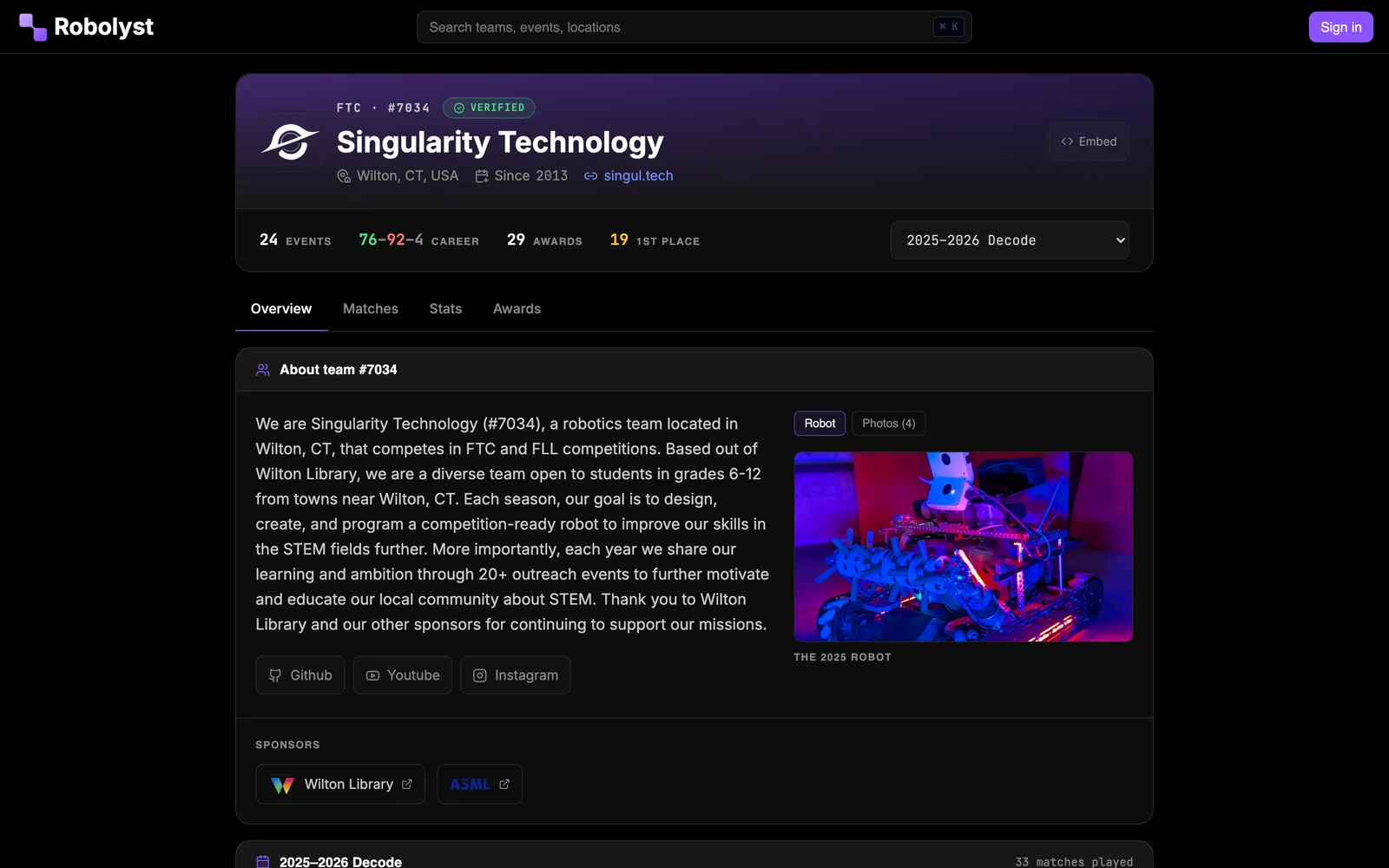
Every team needs a website and nobody has time to build one. Yours is a page editor inside Team HQ, on a Robolyst address, with the sponsor logos and open-source releases judges ask about.
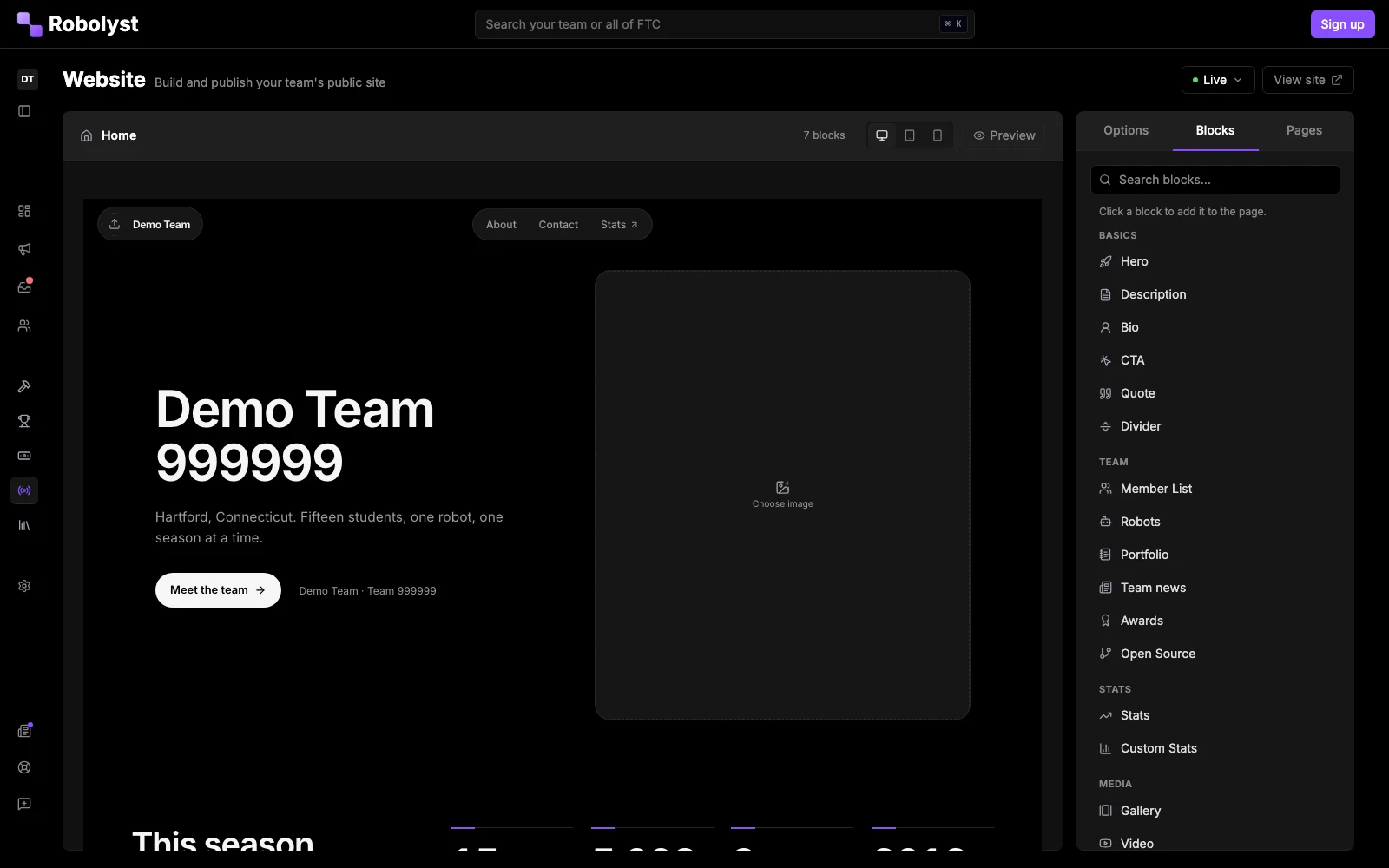
/team-management/public-site/profile
Almost every FTC team runs on Discord, and almost every tool asks them to leave it. The bot goes the other way: the work shows up in your server, and what happens there is written back to Team HQ, so the two never disagree about who claimed a task or who is coming on Saturday.
add it to your server
Channels save as you pick them. A ping is per channel, not per message; pick one only where being interrupted is the point. A surface you never point anywhere never posts, which is how you turn one off.
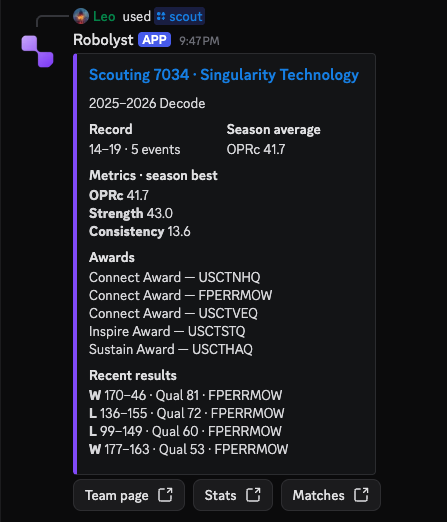
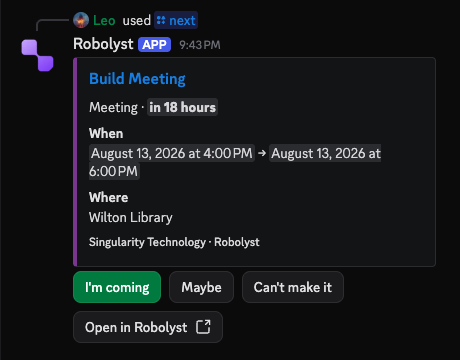
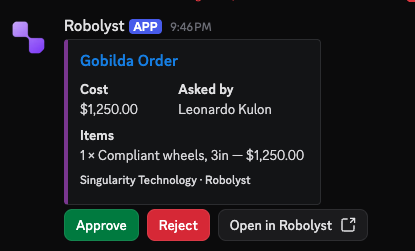
/task mine/next/order request/checklist run/scout/compare/rank/bracket/awards/nearby/team-management/stats
One dashboard for the season, built from work already recorded: attendance, hours, task throughput, documentation coverage, spend. Per member, next to the team average.
It exists to answer the questions a lead actually gets asked: is documentation behind, who has been carrying the build, are we going to run out of money in February.
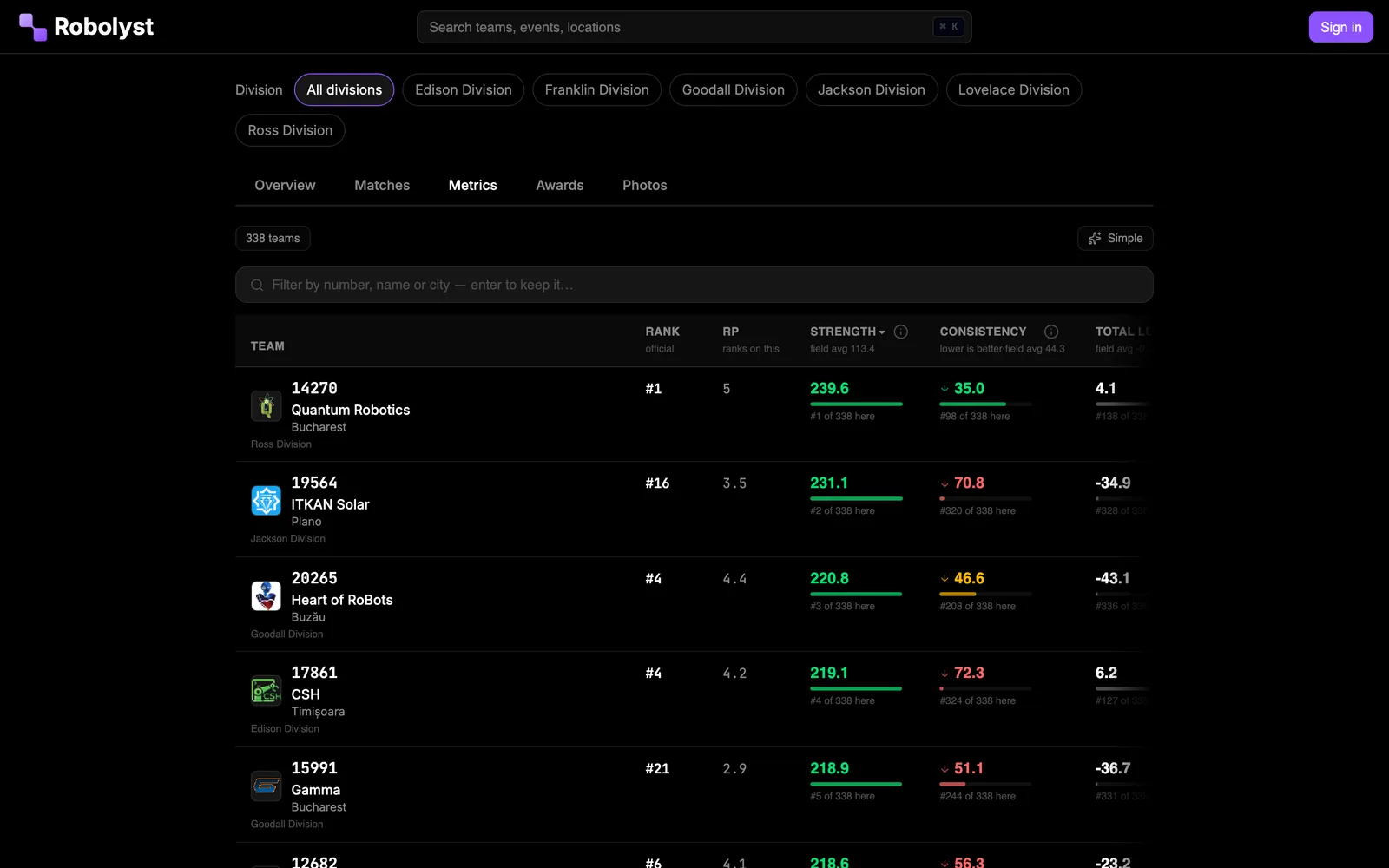
Scouting and match metrics, the other halfAttendance rate
87%
118 of 136 possible
Task on-time rate
74%
96 tasks in range
Days since last entry
3
41 entries this season
Meeting hours
142
38 of them outreach
/team-management/settings
Every role between these two is one you write: a Build Lead who can approve orders but not touch the website. A member holds as many as the job needs, and the permissions add up.
Team-wide defaults, then every member overrides their own. Push arrives on a phone with the site saved to the home screen, and any event set to email can be rolled into one digest a day. Quiet hours stop a phone buzzing overnight, and leave the bell and the email alone. Webhooks post into Discord or Slack, and 41 of the 81 events are cleared to carry into a shared channel. Team verification, the join code, and the due-soon window live here too.
Every one of these is Team HQ itself, captured out of the live demo, which anyone can open, without an account.

Create your team, invite the roster with one link, and pull your competitions off the FTC schedule. Everything else fills in as the season happens.
Talk to us and other teams in the Discord →